Invitation Maker · Wishly for iPhone
Invitations for every celebration.
Choose the occasion and a design, fill in the party details, and Wishly puts everything in place. Then send it to every guest.
Coming soon to theApp StoreFree · iPhone and iPad · Contains ads
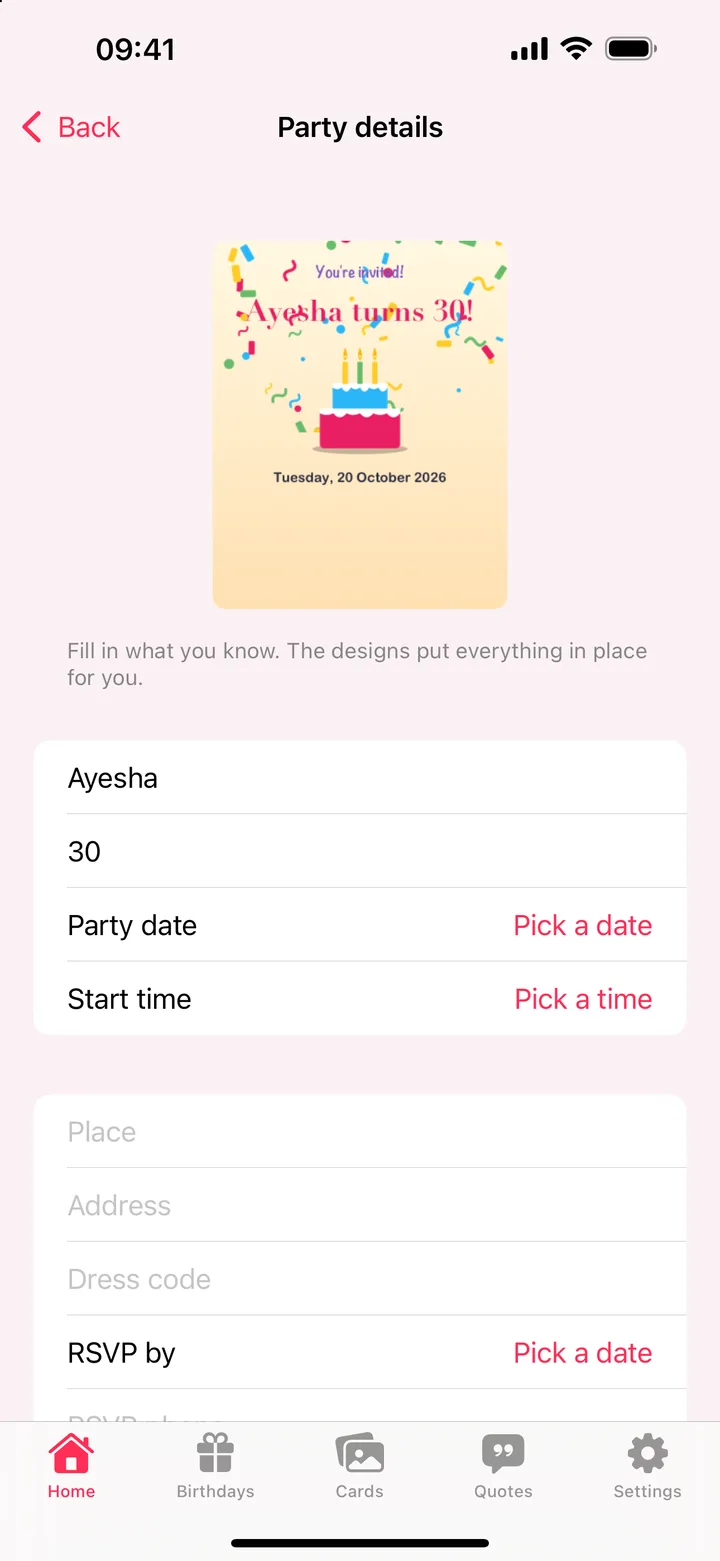
How it works.
- 1
Choose the occasion
Birthday, wedding, anniversary, engagement, baby shower, graduation and more.
- 2
Fill in the details
Whose party, the age, date and time, place, dress code and RSVP.
- 3
Send it
Share the invitation with every guest, and keep it to change later.
What you can do.
- Occasions from birthdays and weddings to baby showers and graduations
- Designs by style: kids party, elegant, milestone, with a photo; the first of each occasion free, all with Premium
- Party details put in place for you: name, age, date, time, place, address, dress code, RSVP
- Saved invitations to continue or change
- Guest lists to see who is coming
Questions.
Which occasions can I make invitations for?
Birthdays, weddings, anniversaries, engagements, baby showers, graduations and more.
Do I have to place the text myself?
No. Fill in what you know, and the design puts the name, date, place and other details in place.
Can I change an invitation later?
Yes. Your invitations are saved, so you can come back and change them.
More in Wishly.

Get Invitation Maker in Wishly: Birthday Reminder.
Free on iPhone and iPad, with every other maker.
Coming soon to theApp Store