Photo on Cake · Wishly for iPhone
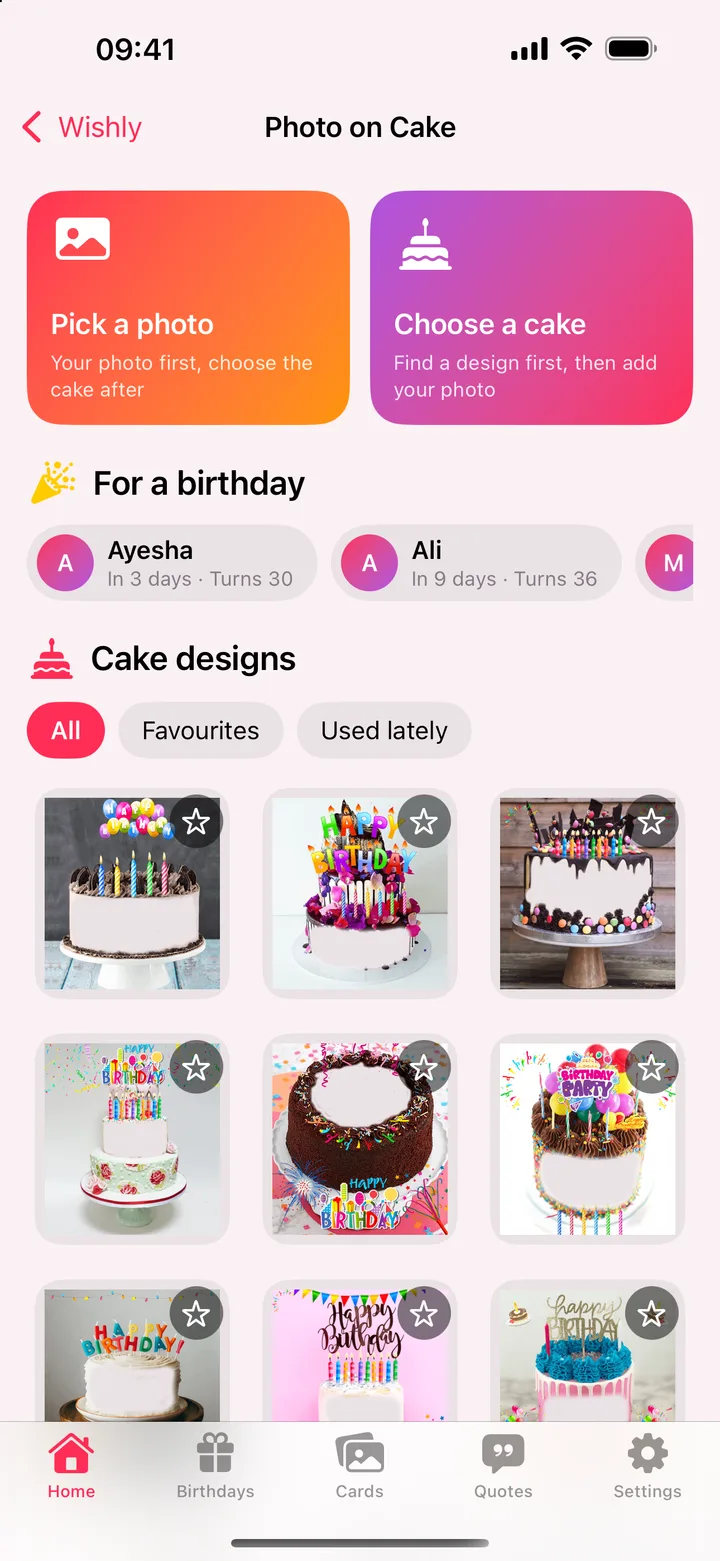
Put their photo on a birthday cake.
Pick a cake, add their photo and name, and make a birthday picture that is all theirs. Save it to Photos or send it in a tap.
Coming soon to theApp StoreFree · iPhone and iPad · Contains ads
How it works.
- 1
Pick a photo or a cake
Start with their photo and choose the cake after, or find a design first.
- 2
Make it theirs
Fit or fill the photo, cut out the background, and add their name, text and stickers.
- 3
Save and send
Save the cake to Photos, or share it straight to WhatsApp or Messages.
What you can do.
- 30 cake designs free, and hundreds more with Premium, with favourites and the ones you used lately
- Cut out the person from the background, on your iPhone (Premium)
- Their name in many fonts and colours, plus text, stickers and drawing
- Undo and redo for every change
- Start from one of the birthdays coming up
Questions.
Can I put any photo on the cake?
Yes. Pick any photo from your library. Wishly fits it to the cake, and you can fill, move or replace it. With Premium, cut out the background too.
Can I add their name?
Yes. Add their name and any text in the font and colour you like, then place it anywhere on the cake.
Is it free?
Yes. Photo on Cake is free, with 30 cake designs and ads. Wishly Premium unlocks every cake design and Cut out, and removes the ads.
More in Wishly.

Get Photo on Cake in Wishly: Birthday Reminder.
Free on iPhone and iPad, with every other maker.
Coming soon to theApp Store