Story Maker · Wishly for iPhone
A birthday story for Status and stories.
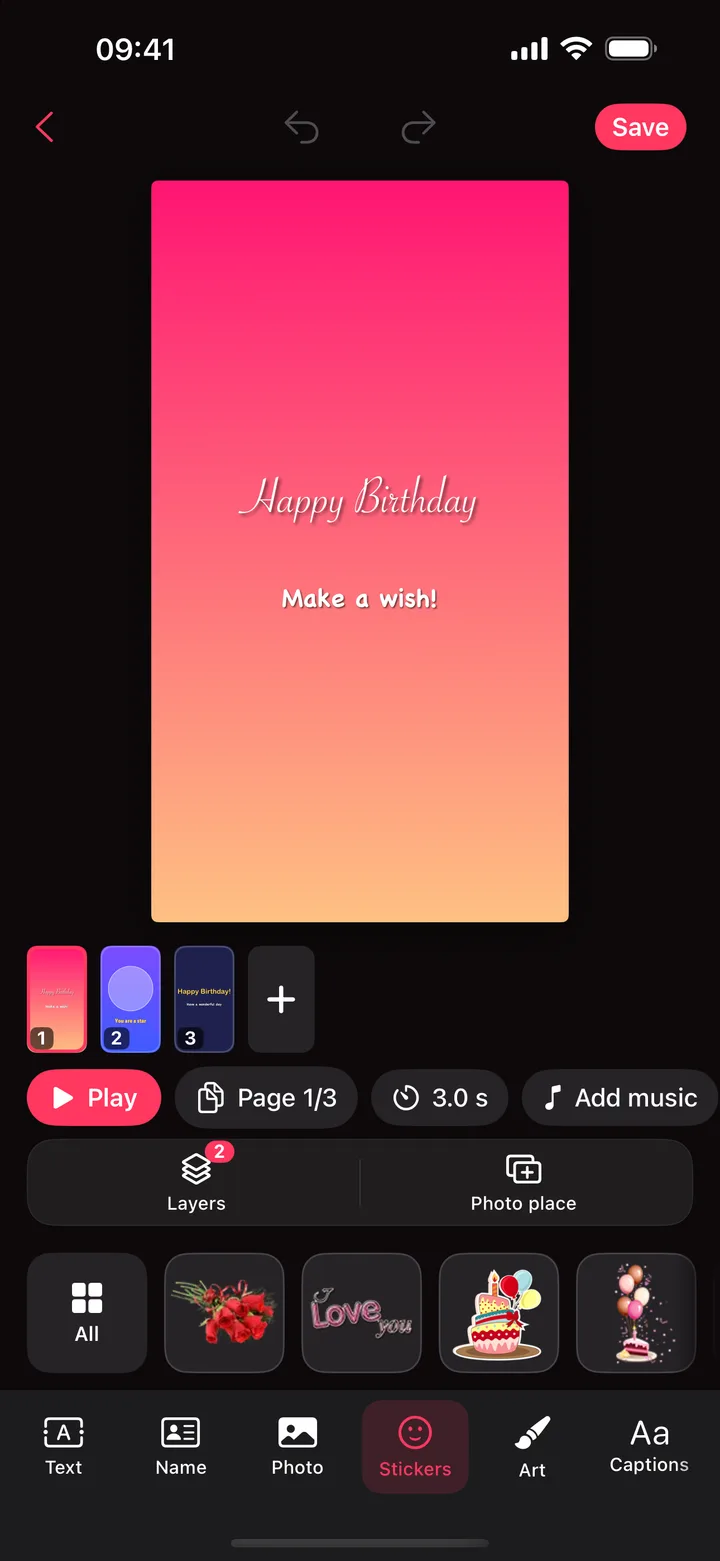
Build a birthday story page by page, with photos, text and stickers, choose how long each page shows, and add a song.
Coming soon to theApp StoreFree · iPhone and iPad · Contains ads
How it works.
- 1
Start a story
A template, a blank story, or up to 20 photos with one page each.
- 2
Fill the pages
Add photos, their name, text and stickers, and set the time for each page.
- 3
Add music and save
Pick a song, play it through, and save the video for Status or stories.
What you can do.
- Templates for birthdays, romance and kids
- Up to 20 photos, one page each
- Text, names, captions, stickers and drawing on every page
- Music from Wishly’s birthday songs, or with Premium from your music library or Files
- Saved as a video, sized for WhatsApp Status and stories
Questions.
Can I add music?
Yes. Choose one of Wishly’s birthday songs and pick where it starts. With Premium, use a song from your music library or the Files app too.
How many photos can I use?
Up to 20 photos, one page each, and you can add more pages by hand.
Where can I share it?
Anywhere you share videos: WhatsApp Status, Instagram and Facebook stories, Messages and more.
More in Wishly.

Get Story Maker in Wishly: Birthday Reminder.
Free on iPhone and iPad, with every other maker.
Coming soon to theApp Store